

HyLite Lotus Lamp Bracket Mount Installation Guide
September 9, 2026PAR56 & PAR64 Connection Guide
Similar Lamp Listings. Different Connections.
You found a PAR LED retrofit lamp with the wattage and beam angle you want. Then you notice two product listings that look almost identical: one says GX16D adapter, and the other says whip connector.
The difference is the connection configuration, not which version is intended for a larger room or produces a wider beam.
For the HyLite Lotus PAR56 and PAR64 products discussed here, GX identifies the GX16D-adapter version, while WC identifies the WC2 whip-connector version. Choose the configuration appropriate for the existing equipment and approved installation.
This guide explains the labels, shows the connection options, and uses actual product listings to help you narrow your order.
Safety note: This is a buying guide, not wiring instructions. Have a qualified electrician handle inspections that require opening fixtures or accessing electrical connections. Power must be disconnected before inspection or service, in accordance with the manufacturer’s instructions.
What Is the GX16D Adapter Version?
HyLite’s GX16D quick adapter has a short lead ending in a two-contact connector. In the manufacturer’s PAR-can installation diagrams, that connector mates with a corresponding socket inside the existing fixture.
The connection inside the can is the important detail. The cable or plug supplying power to the entire fixture does not, by itself, identify the lamp connection inside it.
Once you confirm the existing socket is GX16D, and the selected retrofit meets the fixture’s other requirements, evaluate the GX product listing. Do not choose it solely because the existing housing is called a PAR can.
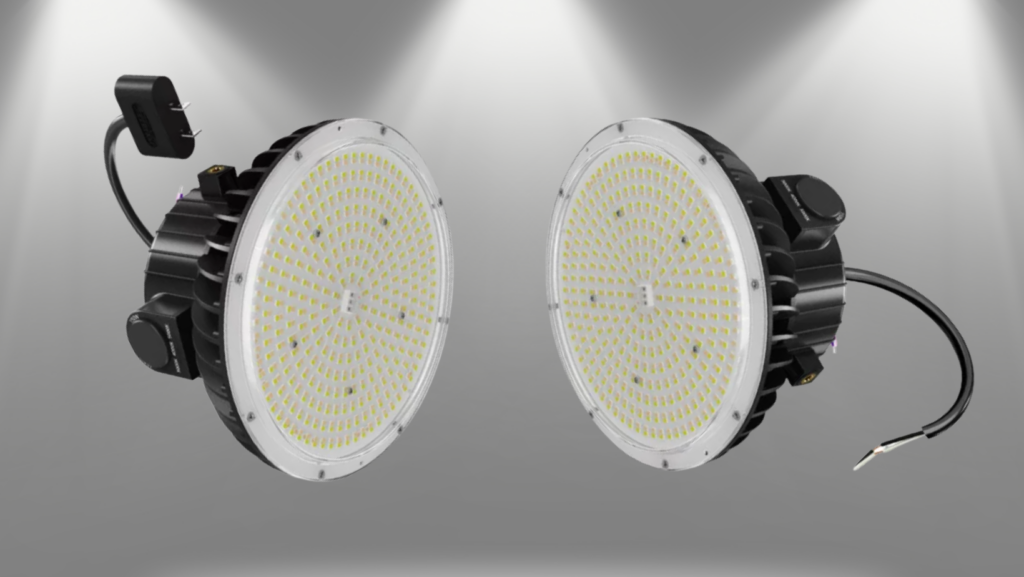 Identify the matching fixture connection before selecting the product.
HyLite’s PAR-can retrofit instructions illustrate the internal GX16D socket and adapter arrangement. Those illustrations help identify the connection; they do not establish compatibility with every fixture.
What Is the WC2 Whip-Connector Version?
The WC2 option uses a whip, or pigtail, adapter. HyLite’s illustrations show a lamp-side quick connection at one end and wiring leads at the other, rather than the GX16D fitting that connects to a PAR-can socket.
Discuss this version when your electrician has specified an appropriate wired installation using the approved WC2 connection. It is not a universal substitute for an unidentified or incompatible socket.
Seeing wires inside a fixture is not enough to select WC2 fixtures with sockets that also contain wiring. The installer must establish the intended connection method and confirm it suits the lamp and installation.
HyLite also documents WC2 use in an approved standalone mounting arrangement. That is a separate installation decision, covered in our Lotus Lamp retrofit and standalone guide.
Choosing a WC listing alone does not determine the mounting method or confirm every accessory needed.
Where Does EX39 Fit Into the Comparison?
EX39 describes a mogul screw-base configuration in HyLite’s current ordering tables. A lamp base connects to the lamp assembly; a fixture socket receives it.
That makes EX39 a different ordering designation from GX16D or WC2. A description mentioning an EX39 base should not be read as a promise that a new fixture socket or every available adapter is included.
Connection Labels in HyLite’s Lotus Ordering Information
| Code | Configuration | What to Check Before Ordering |
|---|---|---|
| GX | GX16D adapter | A matching internal socket and a compatible retrofit installation. |
| WC | WC2 whip adapter | An appropriate wired connection specified by the installer. |
| EX | EX39 mogul-base configuration | The exact base, receiving socket, and approved installation requirements. |
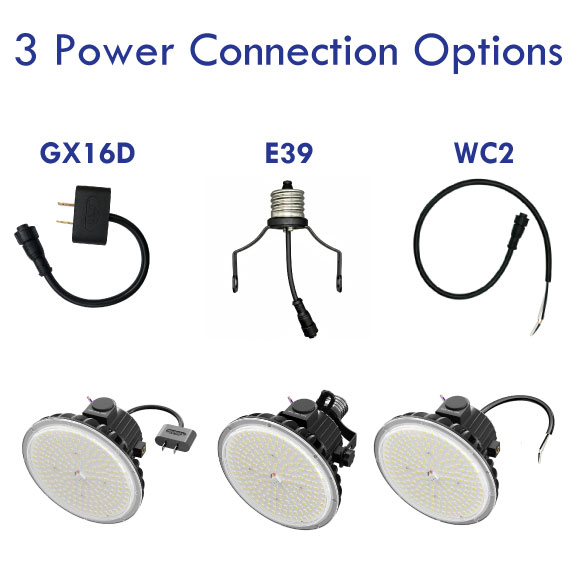
The ordering legends appear in the manufacturer’s PAR56 40W/60W specification and PAR64 100W/150W specification.
Use the full product code when asking about the supplied configuration.
Read the Product Code Before Adding the Lamp to Cart
Consider these two PAR64 listings:
HL-LS-100150WD-GX-40-3050K
HL-LS-100150WD-WC-40-3050K
Both listings describe a PAR64 lamp with selectable 100W/150W output, a 40° beam, and selectable 3000K/4000K/5000K white-light settings. The GX vs. WC section identifies the different adapter configurations.
In this example, switching from GX to WC does not change the beam angle or wattage range. Likewise, choosing the right connection doesn’t make a 40° beam appropriate for every lighting position.
When two product titles look similar, compare the complete SKU and connection description. Sending us the full code is more useful than asking for “the 150-watt lamp.”
Compare Matching Products Without Changing the Beam or Lamp Family
Once the connection requirement is established, use the links below to compare otherwise matching examples. The PAR64 pair uses a 40° beam; the PAR56 pair uses a 25° beam. These are examples of connection choices, not a recommendation that either beam suits your installation.
PAR64 Example: 100W/150W, 40° Beam
PAR56 Example: 40W/60W, 25° Beam
Need another beam or more information about the lamp family? Compare the full PAR56 configurations or PAR64 configurations.
Before placing the order: Match the full SKU to the configuration your installer has confirmed. Ask us to clarify the supplied components if the product description is unclear.
A Matching Connector Is One Part of Compatibility
A familiar-looking connection is not a complete fit check. The selected lamp must also meet the fixture’s clearance, mounting, electrical, control, and operating-environment requirements.
In particular, neither “GX” nor “WC” proves that a lamp is compatible with an existing ballast or dimmer. HyLite’s Lotus installation guide requires the qualified installer to bypass or remove a ballast, when present. The same guide requires verification of the supply and installation conditions.
Use the current HyLite Lotus installation guide together with the exact product label and model-specific documents. This article does not replace those requirements.
For a broader review of your existing equipment, use our PAR-can retrofit checklist.
Not Sure Which Connection You Have?
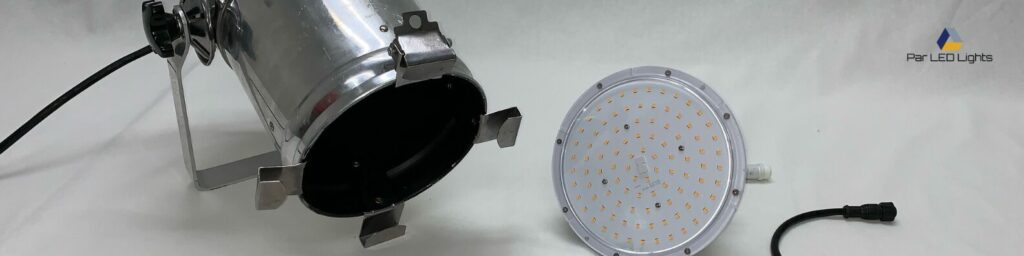
You do not need to guess between two product listings. Start with the fixture model, an existing lamp number, or equipment records. If identifying the connection requires opening a fixture, have a qualified electrician inspect it and provide the information safely.
For product-selection help, send us:
Equipment details: the existing fixture or lamp model and photos of the socket or connection.
The product you are considering: Its full SKU or a link to the listing.
The project details: Approximate quantity and any known dimmer or control information.
For example: “I’m considering HL-LS-100150WD-GX-40-3050K for these fixtures. Can you help confirm which connector version I should order?” Include the equipment details so we can address the actual selection question.
Send photos to
info@parledlights.com.
If you also submit the contact form, use the same name and email address so we can match the photos to your inquiry.
Choose the Configuration Before You Order
Do you already have the lamp family, beam, and connection confirmed? Use the product links above to review the matching listing and purchase.
Still comparing the connection options? Send PAR LED Lights the fixture details and the product you are considering. We can help clarify the available configurations and what to confirm with your installer.
Get Help Choosing My Connection
Prefer to call?
1-877-317-2707